
Most organizations only start asking “should we get an IT audit?” after something has already gone wrong, a breach, a failed client due-diligence check, a compliance deadline that snuck up on them. By then, the audit is playing catch-up instead of doing its actual job: catching problems before they become incidents.
An IT audit isn’t just a compliance checkbox or a once-a-year formality for banks and hospitals. It’s a structured health check on how your organization’s technology, data, and processes actually hold up against real risk. This guide breaks down what an IT audit really involves, the different types you might need, and how to tell whether your organization is due for one.
What Is an IT Audit?
An IT audit is a systematic evaluation of an organization’s information systems, infrastructure, policies, and operations to determine whether they are secure, well-managed, and aligned with business and regulatory requirements. It looks at how data is protected, how access is controlled, how systems are configured, and whether IT operations actually support the organization’s goals without exposing it to unnecessary risk.
Unlike a general IT review, an audit follows a formal methodology. Auditors gather evidence, test controls, interview staff, and benchmark findings against a recognized framework, think ISO 27001, NIST, COBIT, or a specific regulatory standard relevant to the industry. The result is a documented report: what’s working, what isn’t, and what needs to change.
In short: an IT audit answers one core question, if something in your technology environment were to fail, be misused, or be attacked, would you know, and could you prove you’d done what was reasonable to prevent it?
What Does an IT Audit Actually Cover?
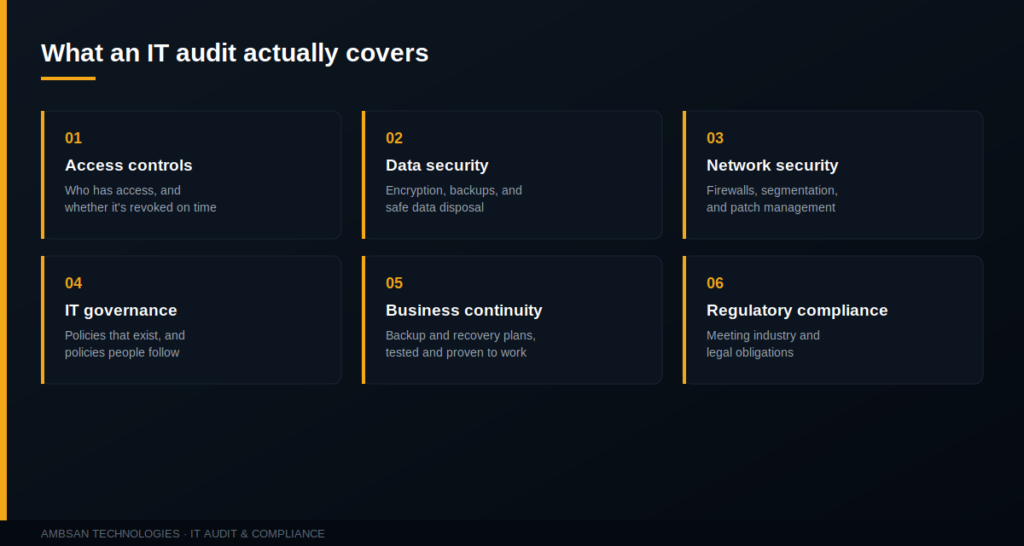
The exact scope varies by organization and audit type, but most IT audits examine some combination of the following areas.
Access Controls and Identity Management
Who has access to what, how that access is granted and revoked, whether privileged accounts are properly monitored, and whether former employees still have live credentials sitting around.
Data Security and Protection
How sensitive data is stored, encrypted, backed up, and disposed of, and whether those practices match what the organization claims to be doing in its policies.
Network and Infrastructure Security
Firewall configurations, network segmentation, patch management, and whether the perimeter actually matches the network diagram someone drew two years ago.
IT Governance and Policy
Whether documented policies exist, whether they’re current, and critically, whether anyone is actually following them day to day.
Business Continuity and Disaster Recovery
Whether backup and recovery plans exist, are tested, and would genuinely work if a system went down tomorrow.
Regulatory and Compliance Alignment
Whether the organization meets the specific obligations tied to its industry and geography, data protection law, sector regulation, or contractual security requirements from clients and partners.
Types of IT Audits
Not every audit looks the same. The right one depends on what you’re trying to answer.
| Audit Type | What It Focuses On |
|---|---|
| Compliance Audit | Whether systems and processes meet a specific regulatory or industry standard |
| Security Audit | Vulnerabilities, threats, and the strength of technical and procedural defenses |
| Operational Audit | Efficiency and effectiveness of IT processes and resource use |
| Systems Audit | Whether specific applications or platforms function reliably and securely |
| Third-Party / Vendor Audit | Risk introduced through vendors, contractors, and supply chain partners |
Many organizations start with a broader security or compliance audit and narrow down to specific systems audits once initial gaps are identified.
Signs Your Organization Needs an IT Audit
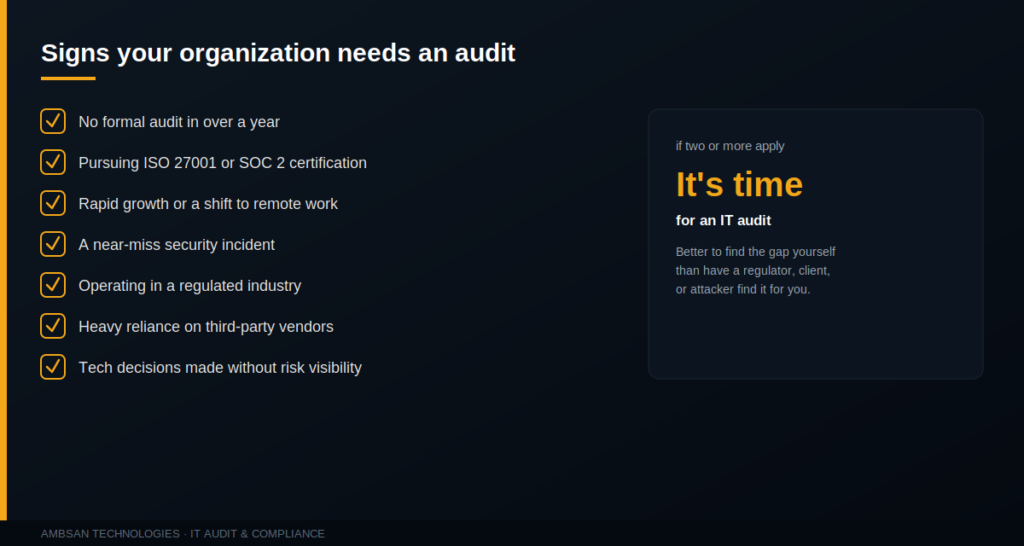
An IT audit tends to become urgent, rather than optional, when one or more of these apply:
- You’ve never had a formal audit, or it’s been more than a year since the last one
- You’re pursuing a certification (ISO 27001, SOC 2) or a client is demanding proof of your security posture
- Your organization has grown quickly, added new systems, or shifted to remote/hybrid work without revisiting security policy
- You’ve had a near-miss incident, a phishing attempt that almost worked, or unexplained system behavior
- You operate in a regulated industry, finance, healthcare, telecom, with legal obligations around data handling
- You rely on third-party vendors or cloud providers and have no clear picture of the risk they introduce
- Leadership is making technology investment decisions without solid visibility into current risk exposure
If even two or three of these sound familiar, it’s a reasonable signal that an audit would surface things worth knowing, before a regulator, client, or attacker surfaces them for you.
What Happens After the Audit?
A good IT audit doesn’t end with a report that sits in a shared drive. It ends with a prioritized action plan: which findings are critical and need immediate remediation, which are moderate and should be scheduled, and which are low-risk observations worth noting for later. The real value of an audit is in what changes afterward, tightened access controls, patched systems, updated policies, and a clearer picture of where the next investment in IT should go.
An audit is a snapshot, not a one-time fix. Organizations that treat it as a recurring practice, annually, or after major infrastructure changes, tend to catch problems while they’re still cheap and quiet to fix.
Final Thoughts
An IT audit isn’t about assuming something is broken. It’s about having verified visibility into your own environment instead of relying on assumptions. For organizations handling sensitive data, operating under regulation, or simply scaling faster than their documentation can keep up with, a properly scoped IT audit is one of the more cost-effective risk decisions available, far cheaper than the incident it’s designed to prevent.
FAQs
How long does an IT audit take?
It depends on scope and organization size. A focused audit on a single system might take one to two weeks, while a full organizational security and compliance audit can take four to eight weeks, including reporting.
How often should an IT audit be conducted?
Most organizations benefit from an annual audit at minimum, with additional audits after major changes, a new system rollout, a merger, a significant security incident, or entry into a regulated market.
What’s the difference between an IT audit and a penetration test?
A penetration test actively tries to exploit vulnerabilities to see how far an attacker could get. An IT audit is broader, it reviews policies, controls, governance, and compliance, and often includes a security assessment as one component rather than the entire focus.
Do small and mid-sized businesses need IT audits, or is it just for large enterprises?
Smaller organizations are often more exposed, not less, they typically have fewer dedicated security resources and are increasingly targeted because attackers view them as easier entry points, especially when they’re vendors to larger companies.
Who should perform the IT audit, internal staff or an external firm?
Internal audits are useful for ongoing monitoring, but external audits carry more weight for compliance, certification, and client assurance purposes, since they bring independent, unbiased evaluation.
What does it cost to get an IT audit done?
Cost varies widely based on scope, organization size, and the standard being audited against. It’s best scoped through an initial consultation rather than estimated generically.
Not sure where your organization stands? Ambsan Technologies can help scope and run the right audit for your risk profile.
Talk to Ambsan